TILO · Private beta
One body. One plan.
Training, food, sleep and recovery — read as one body, not four apps that never talk.
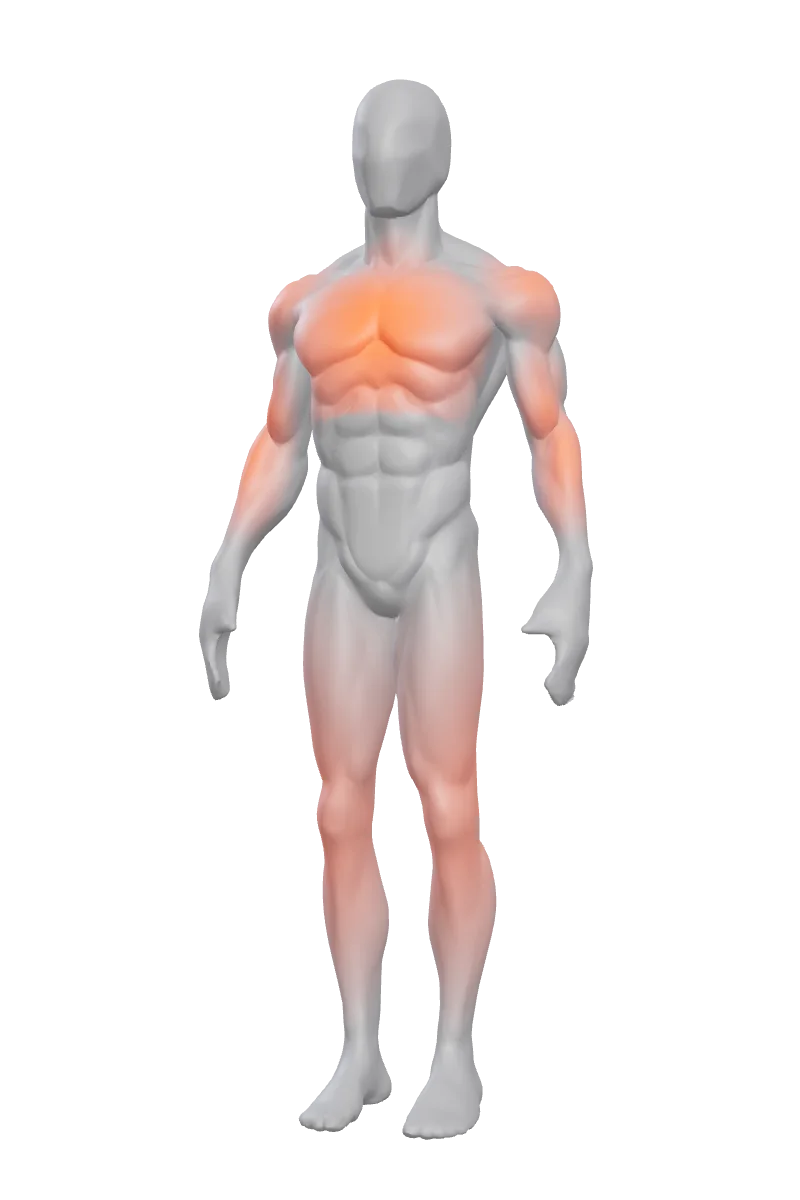
The system
Six parts.
One record.
Sleep, training, food, body, labs and supplements do not live in separate apps. Each one is measured against the others — which is why a night of bad sleep shows up in the session you plan next.
Your sleep is scored against your training load, and the result changes what the app suggests you do today.
- ReadinessThree-night sleep average, how many sessions you trained in the last two days, five sleep-hygiene flags and your daily habits — scored 0–100 and banded ready, moderate or easy.
- A lighter startOn a low-readiness day Home says so plainly, and that day's weight suggestions begin about 10% lighter. It is advice, not a block — push if it feels fine.
Every set you log feeds three places at once: the body map, your week, and the weekly correlation.
- Body mapMuscles behind each exercise light up on the 3D body and cool down over the next 60 hours.
- Weekly correlationSets and volume join 30 days of sleep and food to look for one genuine link — and the app returns “nothing found” rather than inventing one.
Your food target is recomputed from your latest bodyweight, and the supplement stack writes back into your macros.
- Fuel targetDaily calories are calculated against your most recent body weight, so the number moves when the body does.
- Protein powderTicking a protein shake off your stack logs a real food entry against the day's calories and macros.
- Evening nudgeLate in the day, if most of your protein target is still open, the app says so.
Body metrics are not a diary. They feed the food target, and your training history decides what you get nudged about.
- Latest bodyweightFeeds the daily calorie target — the single number that most often has to move first.
- Neglected musclesA group you have not trained in seven days surfaces on Home, with the suggestion to work it into the next session.
Your bloodwork goes into the same record as everything else, checked against the reference ranges you enter yourself.
- Reading a reportPhotograph a printed panel and the markers are extracted for you to confirm, correct or drop before anything is saved.
- One number, everywhereYour latest value per marker, with your own range, is handed to the assistant so its advice knows your numbers instead of guessing.
- Export for a doctorLabs, sleep and nutrition render into one printable PDF summary.
Every supplement carries an evidence tier and a plain explanation of what it does — timed for absorption, and checked against your own results.
- TimingYour stack is placed into morning, pre-workout, post-workout, evening and bedtime — and conflicts are resolved, not just listed.
- Against your labsIf a logged marker is already at the top of your range, the matching supplement is flagged as worth a doctor's input.
- InteractionsDocumented pairs are flagged when you add them and again on the stack, at two severities.
01Train
The set is
the screen.
Rest times itself
Finish a set and the timer runs — with your own default, and an override per exercise.
PRs, as they happen
A new best is flagged the moment you log it, not in a report next week.
Supersets, swaps, reorders
Change the plan mid-session without leaving the set.
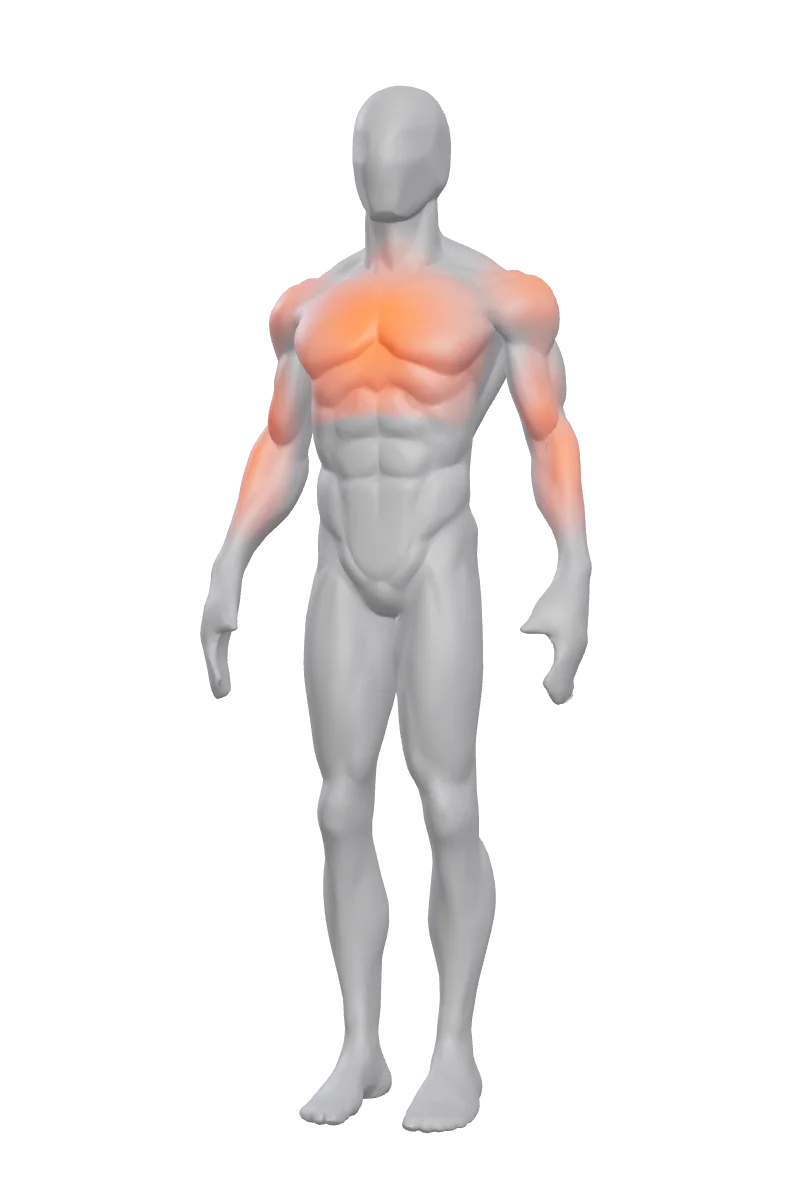
01·bThe body map
Your training,
on your body.
The muscles behind each exercise you log light up on a 3D body — then cools down over the next 60 hours.
-
0 h
Just trained.
Save a push session and chest, shoulders and arms glow at full heat.
-
24 h
Cooling down.
The glow fades on a smooth curve, not a hard switch — so “yesterday” and “three days ago” never look the same.
-
48 h
Nearly fresh.
A faint trace is left. Enough to see it; not enough to plan around.
-
60 h
Back to neutral.
The heat is gone. Muscles you haven't worked in a week get their own nudge on the home screen.
The map shows when a muscle was last worked. It's a planning cue — not a measurement of soreness or recovery.
02Food
Log it the way
it happened.
Camera
Photograph the plate. TILO suggests the items and portions; you fix what's off.
Barcode
Scan the pack. Values come from Open Food Facts, BLS and USDA data.
Voice
Say what you ate. It turns into real entries you can edit.
03Sleep
Last night,
in one look.
Imported from Apple Health or Health Connect. Stages, overnight HRV and resting heart rate appear when your watch or ring records them.
04Labs
Your bloodwork,
on the record.
Type a marker in, or photograph a printed report and let it read the values off for you. Either way you confirm every number before anything is saved.
You set the range
TILO ships no reference-range database. You type the low and high your own lab printed, one-sided or both — the app only judges against that.
You confirm every value
A photo of a printed panel is read automatically, but nothing is saved until you have checked it. Anything implausible is flagged rather than trusted.
The photo is not kept
The copy that gets sent for reading is deleted as soon as the call returns, so the analysis does not leave a file behind. The image the picker handed over is the one part the app cannot promise to remove.
A single test can be noisy. TILO flags what your own numbers say — it does not diagnose, and it will not tell you to start or stop anything.
05Recovery & AI
Ask TILO.
Ask about training, nutrition, supplements or recovery. Answers are AI-generated from a live web search, with the sources shown so you can check them — and grounded in the numbers TILO already holds for you.
What the assistant is given before it answers
Only aggregate numbers go into the weekly correlation — never your raw food names or exercise names.
AI answers can be wrong. TILO shows its sources so you can check — and it is not medical advice.
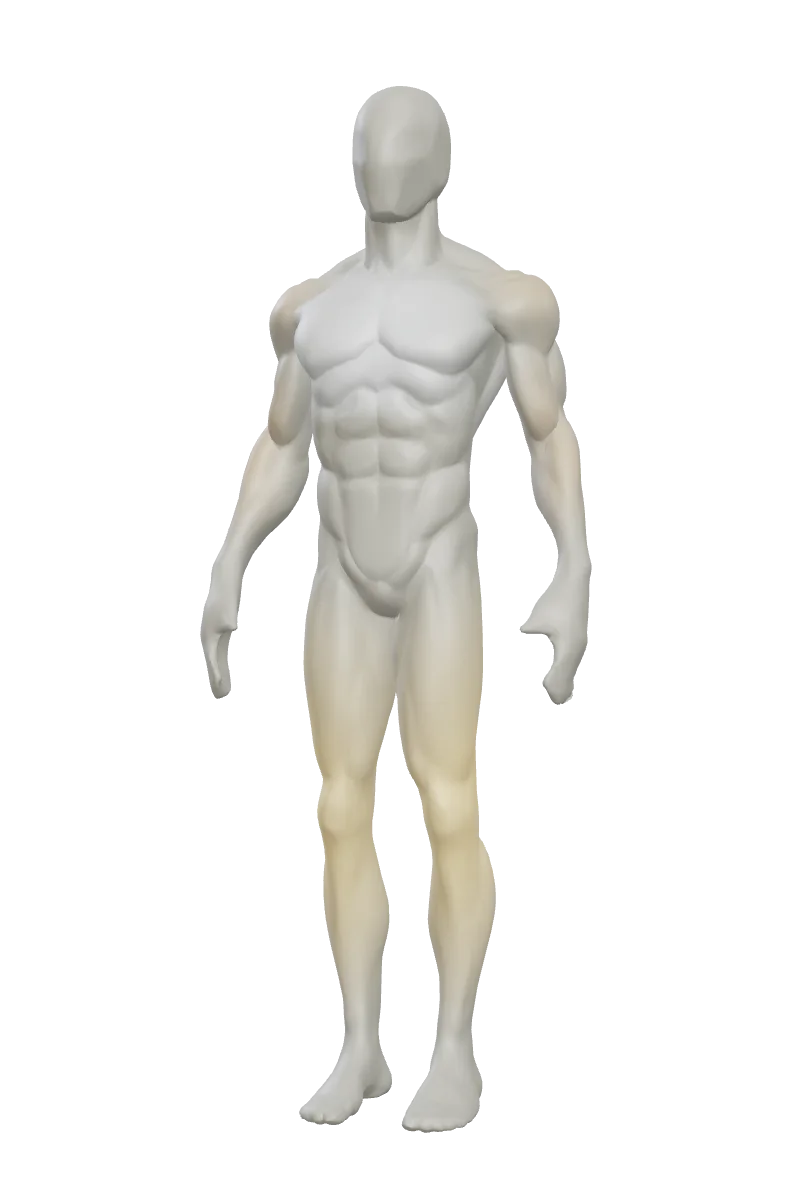
06Progress
Earned,
not given.
Under the heat, every muscle keeps a permanent tint for all the work it has ever done.
- Bronze75 lifetime sets
- Silver250 sets
- Gold600 sets
07Your data
Yours to take
or leave.
Health data is the reason people leave an app. So the export and the delete are ordinary features, not a support ticket — and this website has no analytics, no cookies and no third-party requests at all.
Export everything
One JSON file with everything stored on the device. Yours to keep.
Export for a doctor
Labs, sleep and nutrition into a single printable PDF, built from the same numbers the app shows you.
Delete the account
One control erases the cloud account and every local entry tied to it. It cannot be undone, and the app says so first.
Sleep stays on the phone
Seven kinds of data sync to your account so you can restore them on a new device: your profile, workouts, body metrics, food entries, lab results, cycle logs and training progressions. Sleep is never among them.
TILO is not a medical device and gives no medical advice. Read the full privacy note.
Start with
your body.
TILO is invite-only while we tune it with real training data. Ask for access and we'll write back.